

Bisectors with compass and ruler
This is a demo, open for everybody. A free account opens 140+ applications; Plus opens all of them.
Make a free account Log inWhat this application teaches
- I can use the properties of the mirror line: it is at 90° to the segment between a point and its image, it goes through its midpoint, and it halves the angle between a ray and its image (MEB 7.3.2).
- I can construct the perpendicular bisector of a segment with a compass and an unmarked ruler, and I can say why every step works.
- I can construct the bisector of an angle: equal arcs cut from the arms, then two arcs that cross.
- I can test the construction on other lengths and angles: a point X on the constructed line is equally far from A and B, or from the two arms.
- I can find the mirror line by folding: A lands on B, or one arm lands on the other.
- I know that for a ray of light in a mirror the angle of incidence equals the angle of reflection, and the normal halves the angle between the rays.
- I can choose the next construction step and read lengths and angles from the picture.
How to use it
Aim: Build the perpendicular bisector and the angle bisector step by step with a virtual compass and ruler, and find out why they work. Then practise in Guess first, You try and Challenge.
- In Explore choose Perpendicular bisector. Type the length of AB and the compass opening, then go through the steps with Step: arcs around A, arcs around B, the crossing points P and Q, the ruler line.
- Make the opening too small: the arcs do not cross and the screen tells you why. Then drag the test point X along the line: XA and XB stay equal.
- Choose Angle bisector. Type the angle and the opening of the arc at O, then the opening of the crossing arcs, and follow the steps: P and Q on the arms, the crossing point R, the ray OR.
- Choose Fold a segment or Fold an angle and move the fold slider: the crease is the mirror line.
- Choose Mirror ray. Change the angle of incidence and the source: the normal halves the angle between the rays.
- In Guess first choose from the answers. In You try type the answer and press Check. In Challenge two answers are typed, the second one uses the first.
Tip for teachers: Let pupils say “why” at every step: “P is as far from A as from B.” Folding paper next to the screen makes the mirror line real. Maarif 7.3.2.
Fits these school years
IB (MYP, Diploma): MYP 2, MYP 4, MYP 5, MYP 3
Cambridge International: Lower Secondary, stage 8, Lower Secondary, stage 7, Lower Secondary, stage 9, IGCSE
Netherlands: Year 1, Year 2, Year 3 (havo, vwo), Havo (all mathematics courses), Vwo · Mathematics B, Vwo · Mathematics D
Türkiye (MEB): Year 7 (MEB), Year 8 (MEB), Year 9 (MEB), Year 10 (MEB)
England (GCSE, A Level): Year 7, Year 8, Year 9, Year 10 (GCSE), Year 11 (GCSE)
USA (Common Core): Grade 7, Grade 8, Geometry
Similar applications
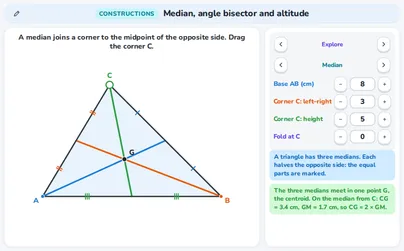 PlusMedian, angle bisector and altitude
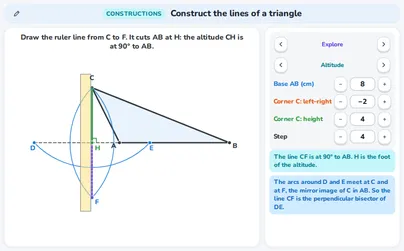 PlusConstruct the lines of a triangle
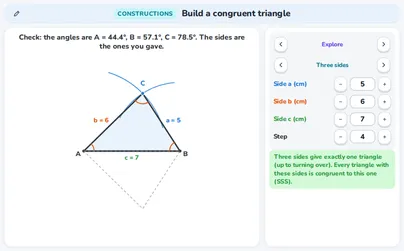 PlusBuild a congruent triangle
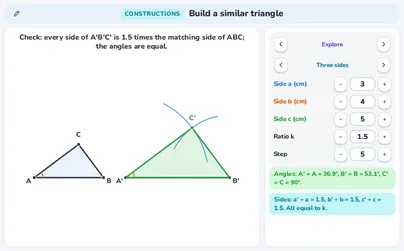 PlusBuild a similar triangle
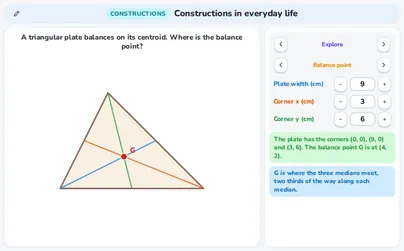 PlusConstructions in everyday life
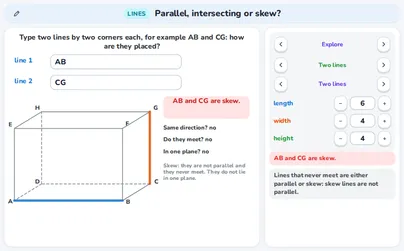 PlusParallel, intersecting or skew? Lines and planes in a box
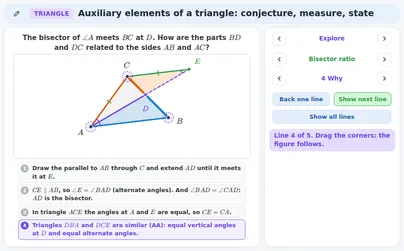 PlusAuxiliary elements of a triangle: conjecture, measure, state
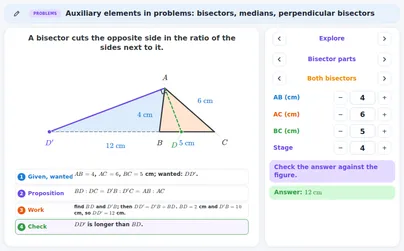 PlusAuxiliary elements in problems: bisectors, medians, perpendicular bisectors
Read the lecture notes: Constructions: bisectors, triangle lines, congruent and similar triangles